mportant Security Guardrail: Upon your first login, FOC NODE's intelligent guard system will temporarily restrict access to operational modules. You must complete your Profile and upload your Compliance documents before the system unlocks your daily tools.
The FOC NODE system is controlled entirely through the Left Navigation Bar. This menu acts as your control center, providing quick access to all your operational, financial, and compliance tools. Below is a detailed guide on how to use each module.
Access and Initialization
OTP Request
To authenticate your acces into FOC Node, you have to povide phone number submitted as owner number, and request for a One Time Password (OTP). Within a minute, an SMS with an OTP will be sent to you.
Verification
You will recieve OTP Verification message, its a 6 digit pin, you enter it and click next

Profile Completion
After validating, System will prompt you to provide you company details, this information is required for your claims processing especially, click Go Now

Profile Information
In the profile information, we have 4 sections which are
- Company Details
- Owner Details
- Contact and Information
- Bank Details
- Summary
When you get to summary, click submit to save information. Data will be submitted with a success message.
Compliance Documents
After updating profile, you will also be required to submit required compliance documents, click on navigatior, compliance and click on new

You have to select the compiance type, and also enter reference, noemally document ID, and capture an image of the document then click on submit.
USAGE
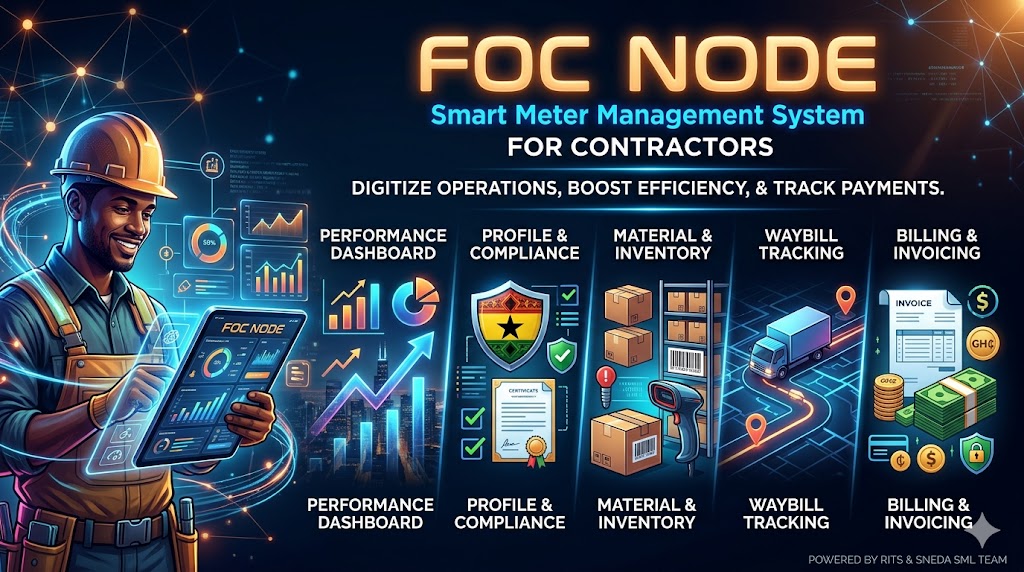
Performance Dashboard
The Dashboard is your landing page and operational control center, giving you a birds-eye view of your deployment progress.
-
Installation Metrics: View real-time data on your team's smart meter installations.
-
Type Breakdowns: Analyze the specific types and models of meters successfully deployed.
-
Dynamic Filtering: Use the date-range filters at the top of the screen to isolate metrics for specific days, weeks, or billing cycles.
Profile & Compliance
This module manages your mandatory operational documentation. Maintaining this section is critical to keeping your contractor account active.
-
Document Uploads: Use your device's camera to capture and upload required documents (Ghana Card, Business Certificates) directly through the app.
-
Native Previewer: Verify the clarity of your uploads using the in-app PDF and Image previewer without needing to leave the application.
-
Status Monitoring: Keep an eye on your compliance status. If your documents expire or are rejected, your status will change to "Not Complied," requiring immediate action.
Material & Inventory
This is your real-time material ledger. It tracks the physical hardware issued to your team to ensure nothing is lost in the field.
-
Visual Balance Ledger: View a color-coded log showing the exact balance of materials issued versus materials used in installations.
-
Value Calculations: Monitor the calculated monetary value associated with your current on-hand inventory.
-
Inventory Reports: Generate, view, and download branded PDF reports of your inventory standing directly to your device.
Waybill Tracking
The Waybills module acts as the digital manifest for all hardware and material transfers between the warehouse and your team.
-
Digital History: Review the complete, unalterable log of materials transferred to your possession.
-
Barcode Verification: Check detailed barcode logs and confirm quantity verifications for every batch of smart meters received.
Billing & Invoicing
This is your financial hub. All amounts here are strictly enforced to 2-decimal place accuracy for precise financial reconciliations.
-
Invoice Lifecycle: Track every invoice through its mandatory stages: Pending → Validated → Accepted → Posted.
-
Claim Review: Review generated payment claims for your completed work. You must review and "Accept" these amounts to initiate your monthly disbursements.
-
Official Documents: Download professional, watermarked PDF invoices for your company's own accounting and financial records.
Technical Support
If you experience any issues navigating these modules, viewing your invoices, or if the application behaves unexpectedly, please contact Felix or Raymond for immediate technical assistance.
